iOS App
Built for warehouse floor tasks, phone-camera barcode scanning, scanner-supported login, native notifications, geofence time clock reminders, receiving, picking, packing, and approvals.
Download on theApp StoreUse ORCA on the warehouse floor and at the desk, with apps for scanning, notifications, and everyday work.
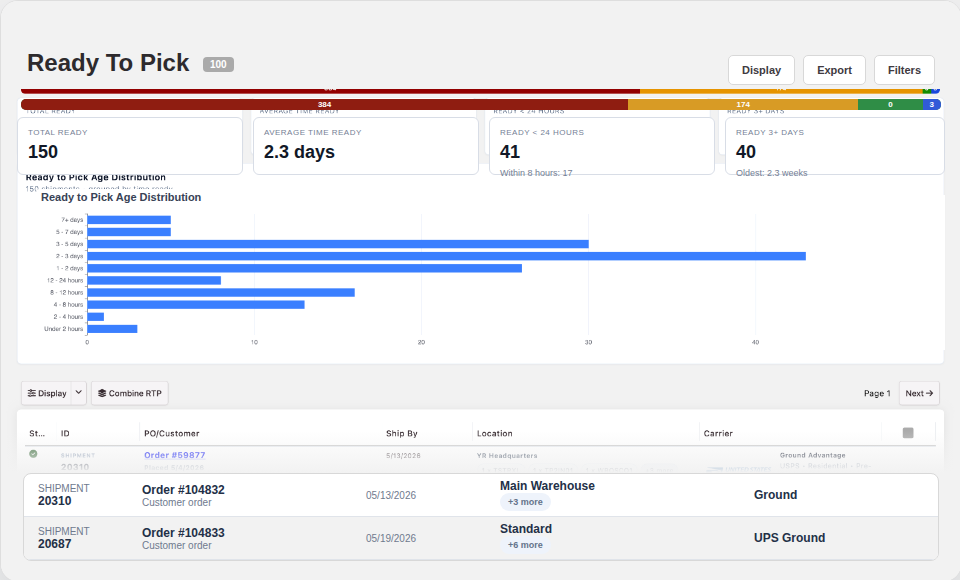
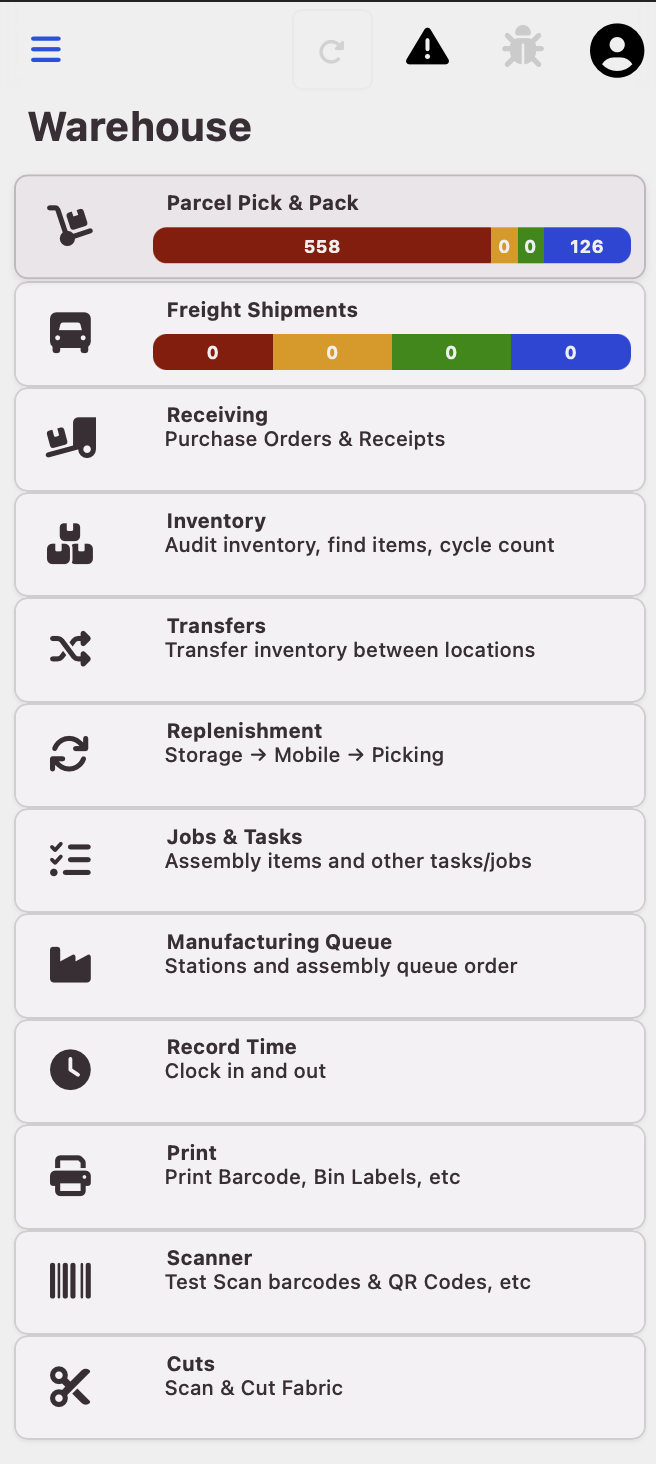
Use mobile for scan-heavy floor activity and desktop for queues, exception review, local printing, reporting, and administrative workflows.
Built for warehouse floor tasks, phone-camera barcode scanning, scanner-supported login, native notifications, geofence time clock reminders, receiving, picking, packing, and approvals.
Download on theApp StoreGives office and operations teams a dedicated ORCA workspace for queues, dashboards, reporting, support context, native notifications, local printing, and macOS passkey support.
Download formacOSSupports packing stations, warehouse workstations, back-office teams, native notifications, local PDF printing, raw Zebra/ZPL labels, and always-on ORCA sessions.
Download forWindowsUse Android devices for mobile warehouse activity, camera barcode scanning, notifications, receiving, picking, packing, and time clock workflows.
Get it onGoogle PlayThe ORCA apps can use device-level capabilities to make warehouse, print-station, security, and workforce workflows faster, clearer, and harder to miss.
Use the phone camera for native warehouse barcode flows like receiving, picking, packing, inventory movement, approvals, and task queues.
Prompt employees to open ORCA and clock in or out when they enter or leave configured warehouse, facility, or job-site boundaries.
Send urgent warehouse, manager, exception, approval, and support alerts through the operating system instead of relying only on an open browser tab.
Print packing slips, labels, BOLs, invoices, PDFs, and raw Zebra/ZPL labels directly through workstation printers from ORCA Desktop.
Use macOS platform authentication support for existing ORCA passkey flows in signed desktop builds.
Keep each tenant, desktop workstation, and mobile device connected to the same ORCA operating layer without splitting the workflow.
The apps are different entry points into the same operational system, so floor work, desktop review, management visibility, and support context stay aligned.
Receiving, bin movement, pick, pack, ship, counts, and task-driven warehouse activity.
Queues, dashboards, exception handling, reporting, billing review, and manager workflows.
Users see the workflows and operational controls that match their team, role, and customer context.
Mobile and desktop activity updates the same orders, shipments, inventory, documents, and audit records.