Which item, at which location?
Focus replenishment on the stock and destinations that need attention.
CAPABILITIES / PURCHASING & REPLENISHMENT
Bring restock settings, vendor information, purchase orders, and incoming stock into a clearer purchasing process.
PURCHASING & REPLENISHMENT
Give buyers a place to review what needs attention and follow the work after an order is created.
RESTOCK SETTINGS & PLANS
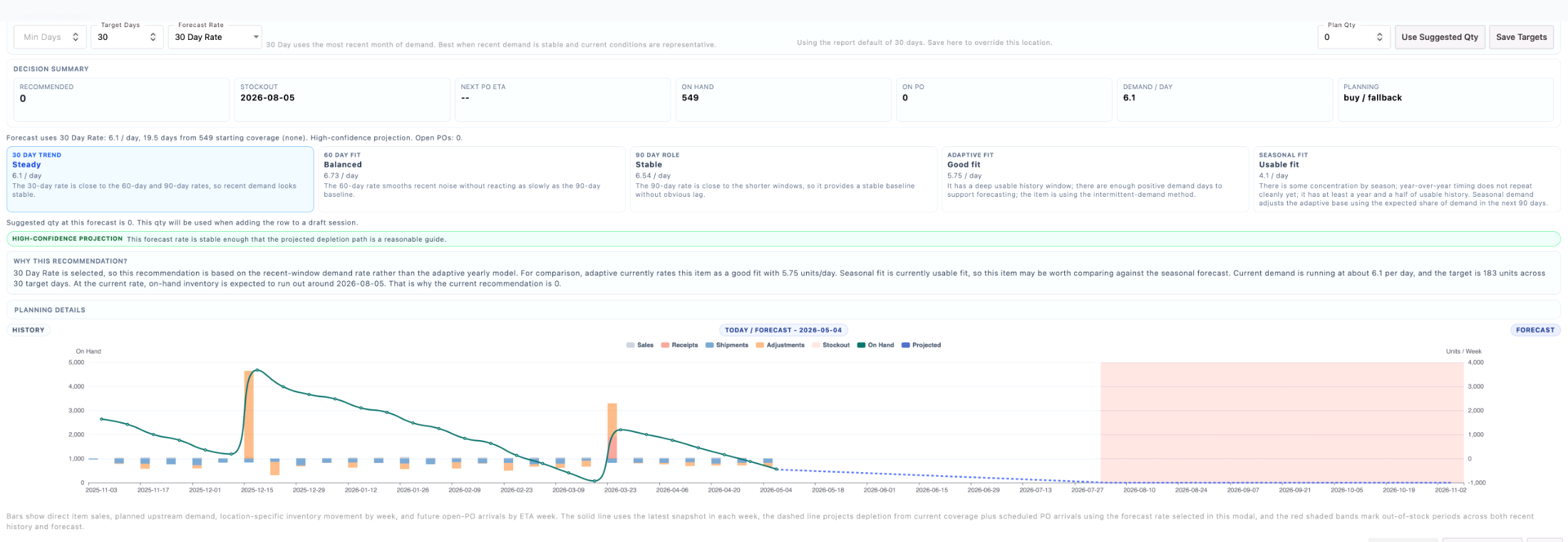
Configure item and location restock settings using quantity or days-of-stock targets. Supported forecasting inputs include direct sales, planning demand, or actual depletion, depending on your setup. Restock plans bring selected items together for review.
A planning illustration, not an ORCA forecast formula. Demand basis, allocations, timing, and location settings influence the actual plan.
Focus replenishment on the stock and destinations that need attention.
Review configured quantity or days-of-stock targets and the supported demand inputs.
Consider incoming supply before reviewing quantities to buy, build, or replenish.
VENDORS & PURCHASE ORDERS
Maintain vendor records, contacts, terms, and item associations. Purchase-order views bring vendor, location, order status, due date, and ETA into the same workspace.
Illustrated records. Keep vendor information, the purchase order, and its destination connected.
BUILD/BUY REVIEW
Configured build/buy sessions support reviewing selected rows and their source context. Buy rows are checked for quantity, vendor, terms, and unit cost; missing details are surfaced for review. Creating purchase orders or build tasks is a separate action with the appropriate permissions.
Configured build/buy review surfaces incomplete buy rows. Creating a purchase order or build task remains a separate, permission-controlled action.
Example checks, not a live purchasing session.
INCOMING STOCK & RECEIVING
Use open, in-transit, pending-received, and received purchase-order views to follow purchasing work. Supported receiving workflows connect ordered and received quantities with inventory destinations.
Open purchase order
Review the vendor, ordered quantities, destination, due date, and ETA while the purchase order is open.
Explore the views without changing a real order. Receiving steps and available actions depend on your workflow.
A CLEARER BUYING CONVERSATION
Review stock, configured targets, and planning inputs together.
Review the need ↑Check quantities, vendors, terms, and costs before creating work.
Check the details ↑Follow purchase-order views and the handoff to receiving.
Follow incoming stock ↑COMMON QUESTIONS
Planning and creating purchasing work are separate steps. The available actions depend on the configured workflow and user permissions.
Yes. Restock settings associate items with locations and can include quantity or days-of-stock targets.
Configured build/buy workflows support both purchase-order and build-task actions. We’ll review your item setup and production process to determine the right fit.
Planning depends on the quality of inventory and demand data, the chosen assumptions, and supplier performance. Your team still reviews quantities and delivery expectations.
BUILT AROUND YOUR BUSINESS
Supplier processes, approval steps, planning inputs, and system connections vary. We can scope the extensions needed to connect purchasing to the way your team makes replenishment decisions.
LET’S WALK THROUGH IT
We’ll walk through an item, its replenishment settings, and the path from planning to receipt.