Know your team.
Work directly with the people building and supporting your software.
ORCA / SOFTWARE BUILT AROUND YOUR BUSINESS
ORCA gives you a working operations platform—and direct access to the people who build it.
We get to know your business, visit your operation when helpful, and turn your requests into software your team can use.
Work directly with the people building and supporting your software.
Build on ORCA’s existing capabilities, shaped around your operation.
Get quick responses and useful improvements as your needs change.

MEET THE PEOPLE BEHIND IT
Work with Nate and the ORCA team to understand your operation and shape what comes next.
Meet Nate, ORCA’s founder →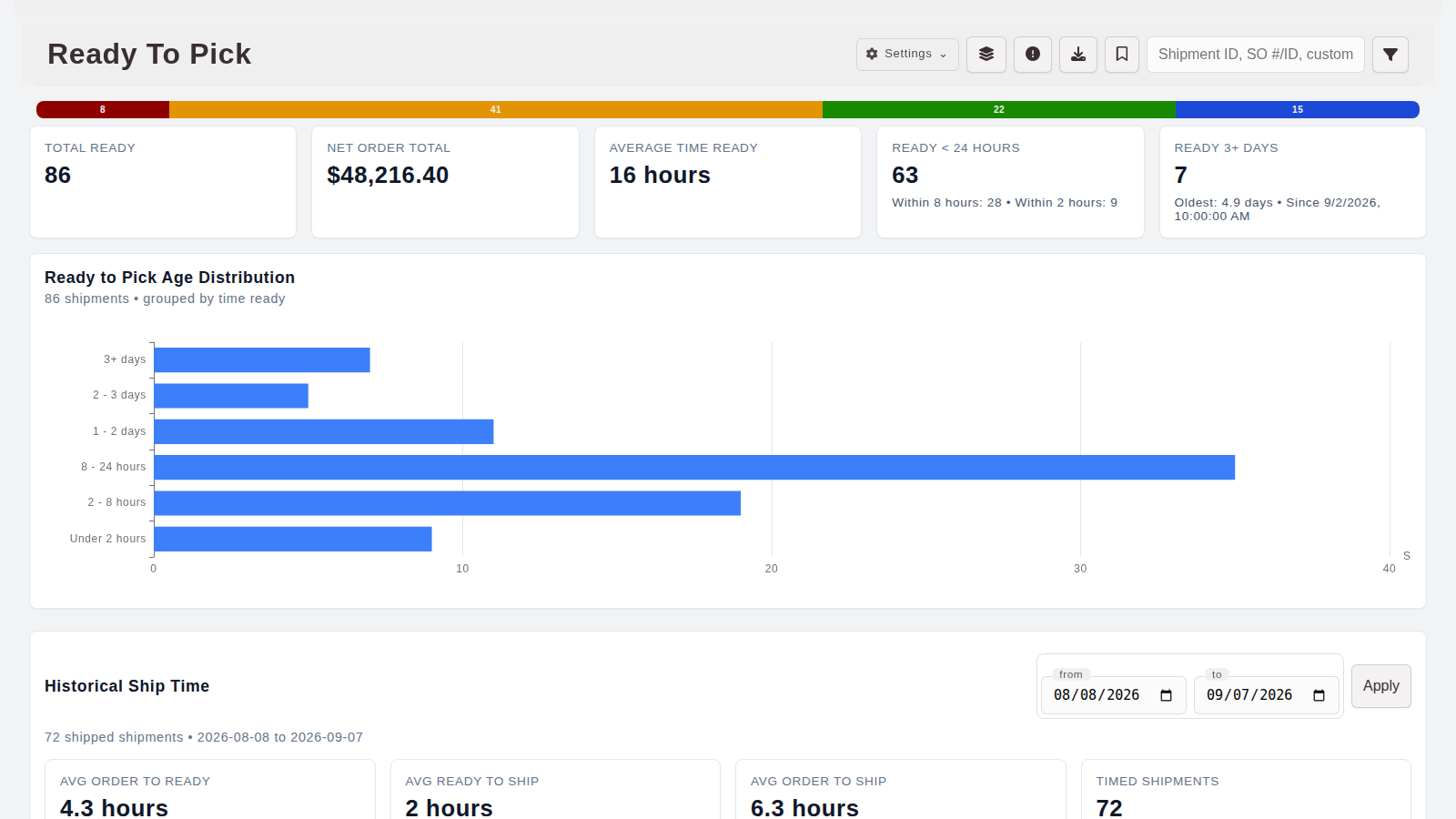
SEE THE SOFTWARE BEHIND IT
Customers, orders, inventory, production, people, and more.
Find the capabilities you need →HOW OUR TEAM DELIVERS
Swipe across to follow the workflow →
Illustrative workflow. Delivery timing depends on the agreed scope, review, and testing.
THE PLATFORM BEHIND THE PROMISE
Choose the capabilities that matter today. We’ll work with you to connect and shape them around your operation.
Keep relationships and orders connected.
Know what you have and what to buy.
Follow work from parts to shipped orders.
Connect hours, jobs, and equipment.
Connect the data. Your partners handle the warehouse.
Bring operations and business records together.
ACTUAL ORCA SCREENS
See fulfillment demand, order value, and aging in one clear queue.
IN GOOD COMPANY
These are some of the teams that work with ORCA. Their needs help shape the platform we keep building.
 REAL PEOPLE. QUICK RESPONSES.
“Nate came out to see our operation in person. He and the ORCA team are quick to respond when we need something. We can talk through what we need and work on it together. We really appreciate you guys!”
 GROWING TOGETHER
“Orca is the glue that brings our efforts together. We can now focus on growing the company and taking care of our customers instead of worrying about the small details.”
 BUILT AROUND THE BUSINESS
“Nate and the ORCA team built the memorized invoice, tax, and email setup we needed at Mopit. We can talk with them about what we need and work through it together. Their services are a great value.”
Trusted by operations teams at








No. Start by defining the workflow you want to improve. Time & Workforce can be used on its own; the scope and connections for other capabilities depend on your operation.
Yes. We can tailor ORCA, develop custom extensions and integrations, or build a standalone software solution. We define the scope with your team and separate existing functionality from new development before rollout.
We learn about your team, the systems you use, and where work gets stuck. Then we walk through the relevant parts of ORCA and discuss a practical implementation scope.
LET’S FIND YOUR FIT
Tell us what works, what gets in the way, and what you’d like to change. We’ll start with a conversation about your business and show you where ORCA can help.
support@killerwarehouse.com ↗