Find it. Pick it. Trust it.
Track inventory by location and bin. Give the warehouse the context to receive, put away, pick, and move the right products.
ORCA + QUICKBOOKS DESKTOP
Know what’s in stock. Get orders out the door. Collect payments without all the follow-up.
ORCA connects your inventory, fulfillment, invoicing, and payment workflows to QuickBooks Desktop—so your team can stop doing the same work twice.
For distributors, wholesalers, and manufacturers running QuickBooks Desktop.
ORCA is trusted by operations teams at












01 / TAKE CONTROL OF INVENTORY
Give your team a shared view of what’s on hand, where it belongs, and what’s needed next. Connect the work on the warehouse floor with the records in QuickBooks.
Track inventory by location and bin. Give the warehouse the context to receive, put away, pick, and move the right products.
Bring in QuickBooks purchase orders and connect receiving activity to item receipts, so arrivals don’t turn into another data-entry job.
Support lot tracking, inventory adjustments, and assembly workflows, with QuickBooks mappings configured for your operation.
BARCODE SCANNING & DOUBLE VERIFICATION
A correct pick is the start. Add a second check before shipping to help catch the wrong item or a missing quantity while the order is still in your warehouse.
Use barcode scanning in ORCA’s picking and packing workflows. Identify products by their barcodes and give operators a clear way to confirm what they’re handling.
Add scan verification after picking. ORCA checks the scanned item against the shipment, counts verified units, and flags items that don’t belong or are already fully verified.
Configure ORCA to block shipping until all shipment items are verified. See verified quantities and who performed the verification, with a clear view of what still needs checking.
Help prevent wrong shipments, reduce rework, and make the final check part of the workflow.
See scanning and verification in action →02 / CONNECT ORDER TO INVOICE
Stop rebuilding an order every time it changes hands. ORCA brings sales, warehouse execution, and QuickBooks invoicing into a connected workflow.
Connect ecommerce, wholesale, and dealer orders to your operational queue.
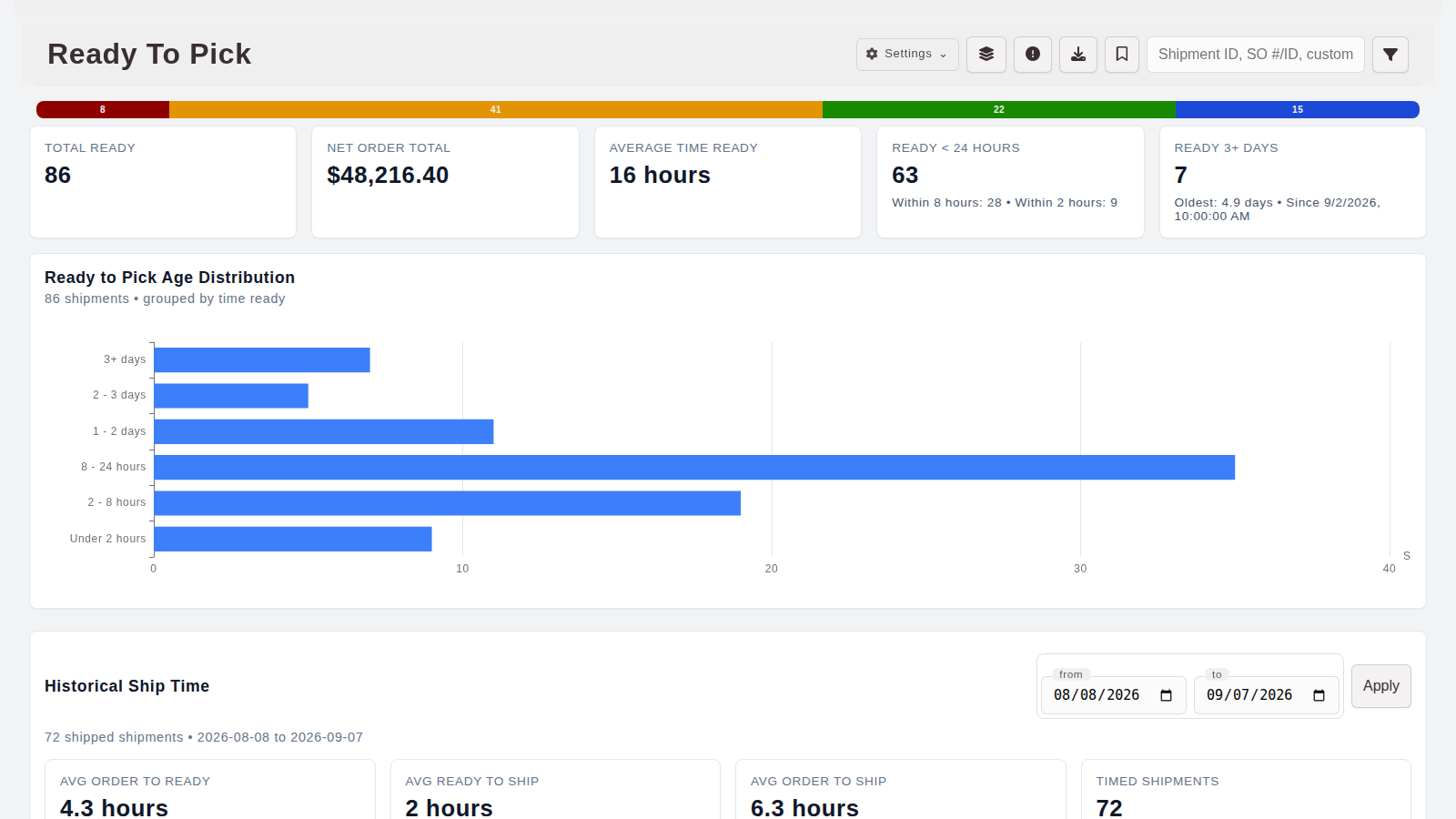
See what’s ready to pick, what’s waiting, and what has shipped.
Connect invoices to sales orders, with item, tax, freight, and payment mappings built around your process.
03 / MAKE GETTING PAID LESS WORK
Collect customer payments, automate repeat billing, and carry payment records into QuickBooks Desktop. Give your team fewer invoices to process by hand and a clearer view of what still needs attention.
Accept customer payments through connected payment services and apply them to the right invoices in QuickBooks. Keep payment methods and accounting records aligned.
Explore payment collection →Build recurring invoice batches, automatically charge authorized customer payment methods, and post successful payments back to QuickBooks Desktop.
Keep unsuccessful charges and posting issues visible for follow-up, so exceptions don’t disappear inside a batch.
Talk through recurring payments →BUILT AROUND YOUR BUSINESS
Start with the manual process that costs your team the most attention. Connect the next workflow as your operation needs it.
Find your fit with ORCA ↗The order, warehouse work, invoice, and payment stay connected, giving your team the context to follow the whole process.
Configure customer, item, tax, freight, and payment mappings around how your business actually operates.
Work directly with the ORCA team to map the handoffs, demonstrate the workflow, and plan the connection to your QuickBooks setup.
A FEW PRACTICAL QUESTIONS
No. This offering connects ORCA to QuickBooks Desktop. We’ll review your Desktop edition, version, and company-file setup to confirm the workflows that fit.
Yes. ORCA supports recurring invoice batches and automatic charges for authorized customer payment methods, with successful payments posted to QuickBooks Desktop. We’ll review your payment provider, billing schedule, and exception process with you.
Desktop exchange runs through QuickBooks Web Connector. Timing depends on your connector schedule, QuickBooks availability, and the workflow. We’ll define what syncs, in which direction, and when during setup.
Yes. Bring the workflow you want to improve first. We’ll walk through its dependencies and show how it can connect to the rest of your operation.
LET’S TAKE WORK OFF YOUR PLATE
Tell us where inventory, orders, or payments get stuck. We’ll arrange a demo focused on your workflow and your QuickBooks Desktop setup.